Apple Health, delivered
Your health data, sent wherever you want it.
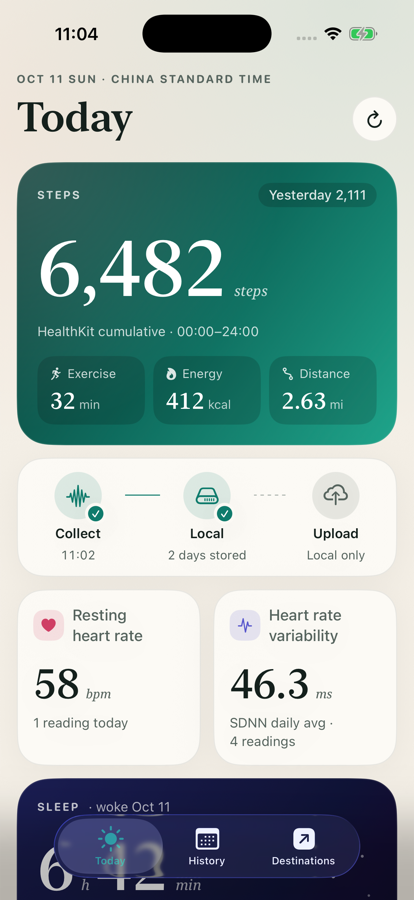
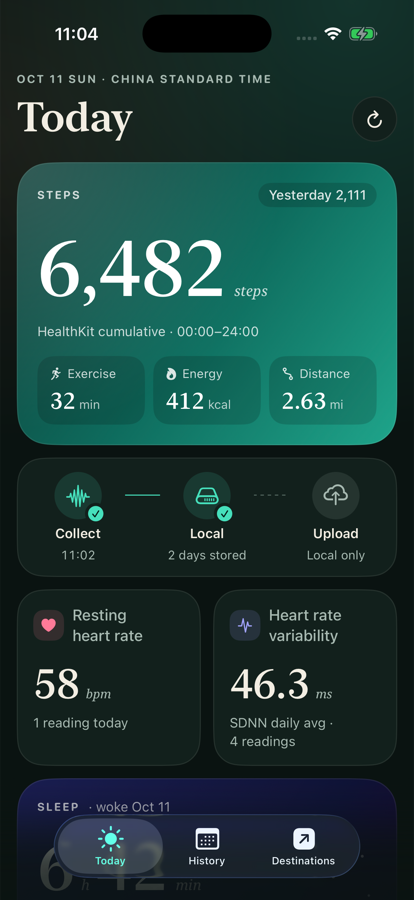
Courier reads a daily summary from Apple Health on your iPhone and delivers it to the places you choose: Google Sheets, Notion, Feishu, Markdown notes, a folder, or your own webhook. No account. No server. Your data goes only where you send it.
What it does
One summary a day. Yours to keep.
Reads, never writes
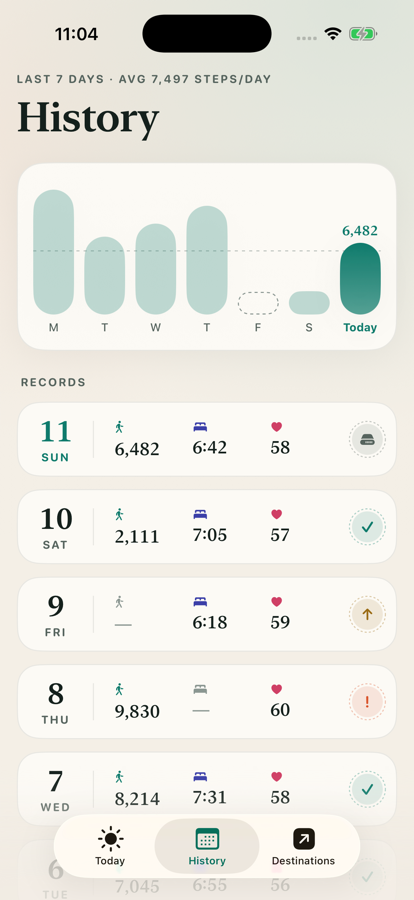
Courier only reads from Apple Health. Steps, exercise, energy, heart rate, HRV, sleep, weight, workouts, and more metrics you turn on one by one.
Calculated on your iPhone
Daily totals and averages are computed on the phone, in your time zone. There is no Courier server to send your data to.
Sent only where you choose
Pick a folder, a spreadsheet, a database or a webhook. Rows are updated in place; turning a metric off never wipes what's already there.
A look inside
Destinations
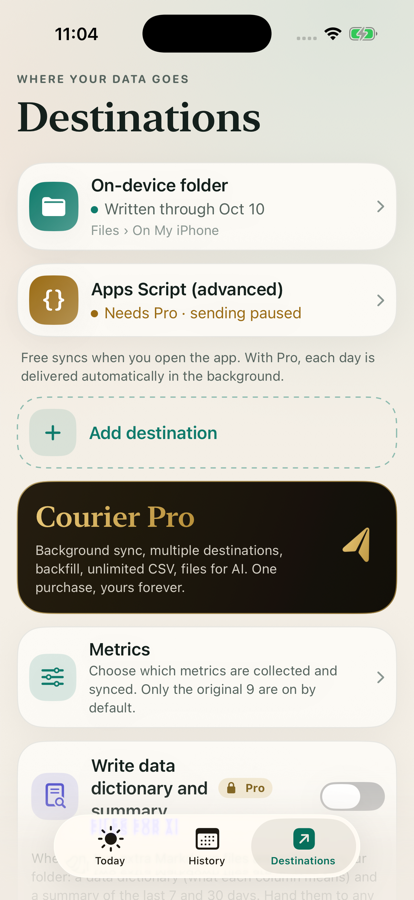
Where your data can go
| On-device folder | Files app › On My iPhone | Free |
| Folder | iCloud Drive, Dropbox, OneDrive… | Free |
| Google Sheets | A spreadsheet in your own Drive | Free |
| Notion | A database, one row per day | Free |
| Feishu / Lark | A Bitable, one row per day | Free |
| Markdown notes | One note per day, ready for Obsidian | Free |
| Webhook | Signed JSON, for your own automation | Pro |
| Apps Script | Your own Google Apps Script receiver | Pro |
| Shortcuts | Use your summary anywhere in Shortcuts | Pro |
Free includes the on-device folder plus one other destination, synced in the background and whenever you open the app. Pro adds more destinations, history backfill, unlimited CSV export, files for AI and the advanced channels.
Audio
Your recordings, delivered to your own Google Drive or iCloud Drive.
Share a recording to Courier, or pick one in Files. After you confirm, Courier uploads it to a “Courier Audio” folder in your own Google Drive, or saves it to a folder you choose such as iCloud Drive, checks that the copy is complete, and keeps nothing on any server.
You bring the recording
From Files, from “Open in Courier”, or shared from Voice Memos. Nothing is read in the background.
Your storage, nobody else's
Uploaded to your Google Drive with the drive.file permission, or saved to your own iCloud Drive folder. Courier has no server and can't see your recordings.
Free or automatic
Free: upload one by one. Pro: upload automatically, each time you add a recording or on a schedule you set.
For your AI
Hand it to any AI.
With Files for AI turned on, Courier writes a data dictionary and a 7- and 30-day summary next to your CSV. Give them to Claude, ChatGPT or a local agent. Courier never calls an AI itself.
Pricing
Free to start. One purchase for Pro.
No subscription, no ads. Pro is a one-time purchase and supports Family Sharing.
Pro also uploads your recordings automatically, each time you add one or on a schedule you set. Same one-time purchase.
FAQ
Questions
Does Courier have a server?
No. Your Health data is read and summarized on your iPhone and sent only to the destinations you connect.
Which Health data does it read?
Steps, exercise minutes, active energy, walking and running distance, resting heart rate, HRV, weight, workouts and sleep by default. You can turn on more metrics one by one; Courier asks Health for access only to what you enable.
Does it work without an account?
Yes. The on-device folder works with zero setup. Google Sheets needs your Google account; Notion and Feishu need your own integration credentials, kept in the iPhone Keychain.
Is this medical advice?
No. Courier moves your data; it does not diagnose, treat or give medical advice.